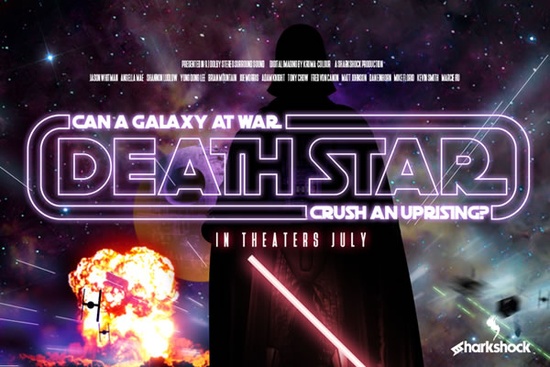
If you’ve ever wanted to bring a touch of galactic nostalgia to your next design project, the Death Star Font might be exactly what you’re looking for. Designed with bold, all-caps lettering that echoes the retro-futuristic vibe of classic 80s sci-fi, this display font works beautifully for posters, t-shirts, logos, and even social media graphics. Whether you’re crafting merch for fans, designing themed party invites, or just indulging in some creative fun, this font adds instant personality without needing complex layering or effects.
What makes it stand out? The geometric curves and minimal stroke variation give it that clean, slightly mechanical look perfect if you’re going for something that feels both vintage and iconic. It’s not meant for body text (the kerning is intentionally tight), but when blown up for headlines or titles, it really shines. Pair it with Gilligan Karl for a duo that feels like it stepped right off a vintage movie poster.
Who is this font best suited for?
This isn’t a font for corporate reports or minimalist branding. It’s built for creatives who want impact: print-on-demand sellers making fan art tees, small business owners launching themed products, or hobbyists designing birthday banners for movie marathons. If you’ve used fonts like Magic Retro or Cowboy Howdy before, you’ll appreciate how Death Star slots into that same category bold, stylized, and full of character.
Because it only includes basic Latin characters and punctuation, it’s ideal for short phrases, logos, or punchy headlines rather than long paragraphs. That said, it does come with alternates and ligatures, which you can access through your design software’s glyphs panel handy if you want to tweak specific letters for better spacing or visual flow.
How do I use the alternates and ligatures?
If you’re using Adobe Illustrator, Photoshop, or similar programs, open the Glyphs panel (Window > Glyphs) to browse through the available alternates. Some versions require manual selection, especially if you’re working with outlines, so keep that in mind when finalizing your artwork. For users of Canva or simpler tools, you may not have access to these advanced features but the default characters still hold up strong on their own.
Pro tip: Since the font has overlapping elements in some glyphs, always convert to outlines before sending files to print or upload. This ensures your design looks exactly as intended, no matter where it ends up.
What should I pair it with?
As mentioned earlier, Gilligan Karl complements it well for that authentic cinematic feel. But don’t stop there try combining it with Stacked Remember for layered headline treatments, or even contrast it with a clean sans-serif for balance. The key is to let Death Star take center stage while supporting fonts handle readability and structure.
You can also explore pairing ideas by checking out other display fonts like Death Star Font directly on Creative Fabrica they often include mockups and usage examples that spark fresh ideas.
Any limitations I should know about?
- Character set: Limited to basic Latin and punctuation no extended symbols or multilingual support.
- Kerning: Very tight by design. Best viewed large. Don’t shrink it down unless you’re okay with letters touching.
- Alternates: Must be selected manually in some formats. Not automatic like web fonts.
- Software compatibility: Works with any program that supports OTF, but advanced features need glyph panel access.
Where can I see more fonts like this?
If you enjoy the bold, stylized energy of Death Star, you might also like browsing through other display fonts with strong personalities. Check out Magic Retro for 70s-inspired flair, or Cowboy Howdy if western themes are more your speed. Each one brings its own flavor while staying easy to use and visually striking.
And if you’re building a collection for future projects, consider grabbing Stacked Remember for vertical layouts or Gilligan Karl for hand-drawn charm. Mixing and matching these gives you flexibility across different moods and themes.
Before you download or purchase, make sure your design software supports OpenType features if you plan to use alternates. And always test the font at the size you intend to use sometimes what looks great big doesn’t hold up small.
Quick checklist before you start:
- ✅ Confirm your software supports OTF and glyph panels (if using alternates)
- ✅ Use at larger sizes for best legibility and impact
- ✅ Convert to outlines before exporting for print or POD platforms
- ✅ Pair with a readable secondary font for longer text
- ✅ Review the included poster for alternate character options
Whether you’re channeling intergalactic drama or just love retro sci-fi aesthetics, this font delivers personality in spades no force required.
Download Now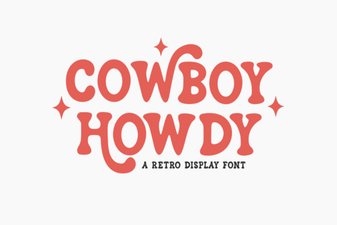 Cowboy Howdy Font Design & Usage Guide
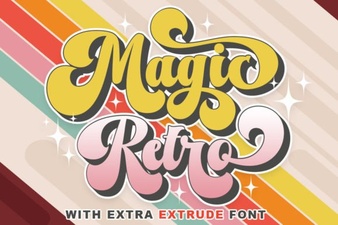 Retro Magic Fonts for Your Design Projects
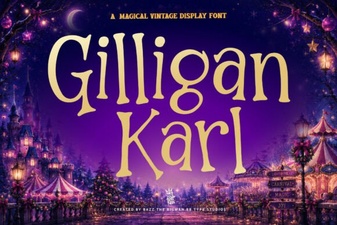 Gilligan Karl Font: Creative Typography Projects
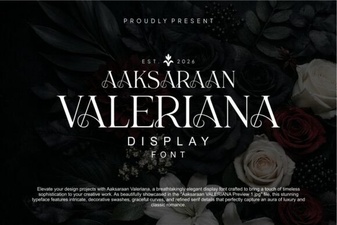 Aaksaraan Valeriana Font: Style Guide & Downloads
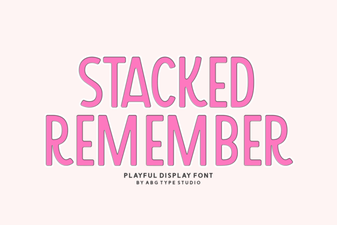 Stacked Remember Fonts: Ideas for Creatives & Developers
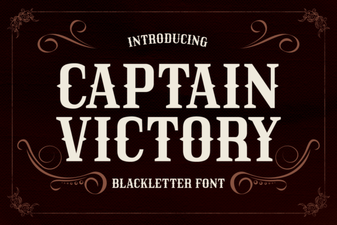 Captain Victory Font: Creative Projects & Typography Ideas