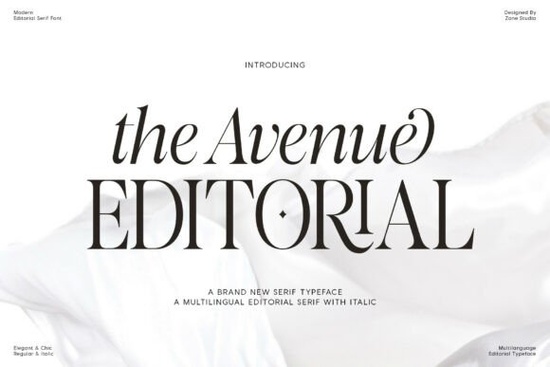
If you’re working on a design that needs to feel polished, professional, and just a little bit luxurious, The Avenue Editorial Font might be exactly what you’re looking for. It’s a modern serif font with classic roots think clean lines, subtle curves, and bold contrast that gives your text presence without shouting. Whether you’re designing wedding invitations, magazine layouts, or branding materials for a boutique business, this font brings quiet confidence to the page.
What kind of projects does this font work best for?
The Avenue Editorial was built with editorial and high-end visual projects in mind. That means it shines in:
- Magazine spreads and covers its tall x-height and crisp details hold up beautifully at small sizes and large headlines alike.
- Luxury branding whether it’s a skincare line, boutique hotel, or fashion label, the font’s refined character adds sophistication.
- Wedding stationery from save-the-dates to programs, the italic styles add graceful movement to formal layouts.
- Product packaging especially for premium goods where typography needs to feel intentional and elegant.
- Multilingual designs it supports a wide range of Latin-based languages, so your global clients won’t run into missing glyphs.
If you’ve used fonts like Fresh Mango or Brelist before, you’ll appreciate how The Avenue Editorial balances personality with readability. It doesn’t try too hard it just works.
How does it pair with other fonts?
This font holds its own as a headline or display face, but it also plays nicely with simpler sans-serifs for body copy. Try pairing it with something clean and neutral like Helvetica Neue, Avenir, or even a minimalist grotesque to let the editorial serifs take center stage.
For more stylized pairings, consider combining it with Marquis for ultra-luxury vibes, or Orvella if you want to layer in softer, romantic tones. The key is contrast: let one font carry the drama, and the other handle clarity.
Is it beginner-friendly?
Absolutely. Even if you’re new to typography, The Avenue Editorial doesn’t demand advanced layout skills. Its letterforms are balanced and intuitive spacing feels natural, and weights are consistent. You won’t need to manually kern every headline to make it look right.
That said, if you’re comfortable tweaking OpenType features, you’ll find stylistic alternates and ligatures tucked inside that can add extra polish to logos or monograms. Most design software (like Adobe Illustrator, InDesign, or Canva Pro) will let you access these with a click.
Will it slow down my workflow?
Not at all. The font family includes regular, bold, and italic variants enough to create hierarchy without cluttering your font menu. Files are cleanly packaged, install without fuss, and render smoothly across print and digital formats.
One thing worth noting: because of its high contrast and fine serifs, avoid using it at very small sizes (below 8pt) in low-resolution outputs. For web use, stick to headlines or hero text it’s not meant to replace system fonts for paragraphs.
What do real users say about it?
Designers who’ve used it often mention how “effortlessly upscale” it feels like it belongs in a high-end catalog or editorial spread without needing heavy styling. Print-on-demand sellers love that it looks expensive but doesn’t require licensing headaches. And small business owners? They appreciate that it makes their brand materials look intentionally designed, even if they’re doing everything themselves.
It’s not flashy. It doesn’t have swashes or doodles. But sometimes, that’s exactly what you need a font that lets your message speak clearly, while quietly elevating the whole presentation.
Quick checklist before you start:
- Use it big headlines, titles, logos. Save smaller sizes for high-res print only.
- Pair it wisely contrast with a simple sans-serif for body text.
- Check your language support while broad, confirm your needed characters are included.
- Experiment with italics they’re not just slanted; they’re redrawn with grace.
- Don’t over-style shadows, outlines, or heavy effects can muddy its clean lines.
If you’re ready to give it a try, grab The Avenue Editorial Font and test it against your next project. Sometimes the right font doesn’t scream for attention it just makes everything else look better.
Learn More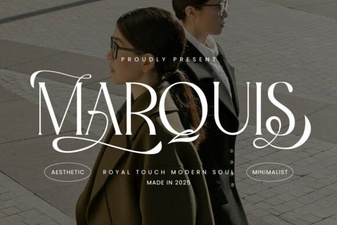 Marquis Font: Elegant Serif Styles for Modern Design
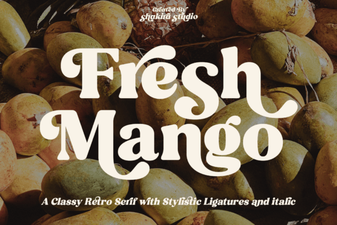 The Fresh Mango Font: Creative Uses and Applications
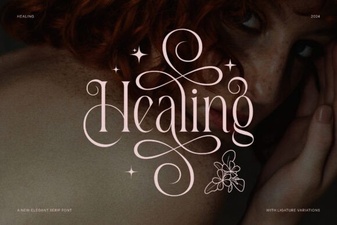 Discover Healing Fonts for Serene Digital Spaces
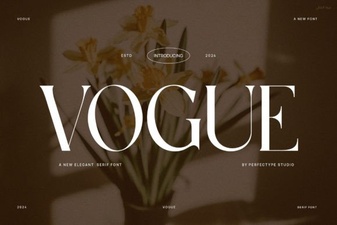 Creative Projects Using Vogue Font Style
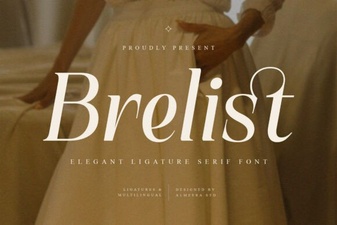 Brelist Font: Free Download & Creative Uses
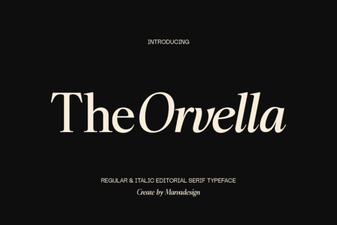 Download Orvella Font for Creative Typography Projects