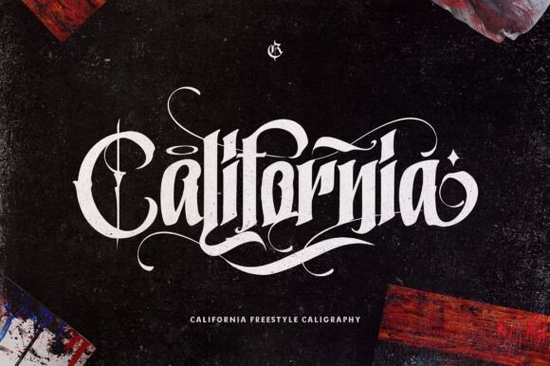
If you’ve been searching for a blackletter font that feels bold without being overwhelming, California Style Font might be exactly what your next project needs. It’s got that thick, confident lettering that stands out on posters, apparel, or packaging but it doesn’t feel like it’s shouting at you. Whether you’re designing merch, branding a small business, or just playing around with personal projects, this font brings personality without the hassle.
One thing users really appreciate is how easy it is to access all the extra glyphs and swashes. Because it’s PUA encoded, you don’t need to dig through layers of software menus or install special plugins. Just open your design tool, type away, and switch characters as needed. That kind of simplicity matters when you’re on a deadline or juggling multiple clients.
Who actually uses fonts like this in real life?
You’d be surprised how many people benefit from a strong blackletter style. Tattoo artists often grab fonts like this for flash sheets or shop logos if you’re curious about similar options, check out the tattoo studio font collection for more rugged, ink-ready styles. Print-on-demand sellers love using bold fonts for t-shirts and mugs because they photograph well and read clearly even at small sizes. And vintage-inspired brands? They lean into fonts like this old English set to create that classic Americana or pub-style vibe.
Even hobbyists making birthday invites or band posters find California Style useful. It’s not overly ornate, so it pairs well with photos or busy backgrounds. You can slap it over a grunge texture or a clean white canvas either way, it holds its own.
What makes this different from other blackletter fonts?
Let’s be honest not all blackletters are created equal. Some feel too medieval, others too stiff or corporate. California Style sits right in the sweet spot: modern enough to feel fresh, but still rooted in traditional gothic structure. If you’ve tried Captain Victory before, you’ll notice California has slightly rounder terminals and less aggressive serifs. It’s friendlier, somehow, while still keeping that edge.
Also worth noting: the spacing is generous. That means you don’t have to manually kern every pair of letters just to make things readable. For crafters working in Canva or Silhouette Studio, that’s a huge time-saver. No wrestling with alignment just drag, drop, and go.
A few places where this font shines:
- T-shirt designs especially for music festivals, skate shops, or retro diner themes
- Social media banners the thickness reads well even on mobile screens
- Product labels coffee bags, hot sauce bottles, craft beer cans
- Event posters think concerts, car shows, or food truck rallies
Can I use this commercially?
Yes and that’s one of the reasons Creative Fabrica users keep coming back. When you download California Style Font, you’re getting a commercial license. That means you can sell physical products (like shirts or stickers) or digital templates (like Canva layouts or Etsy printables) without worrying about legal gray areas. Just make sure you’re not redistributing the font file itself embed it in your designs, don’t resell the .otf or .ttf.
If you’re running a small business or side hustle, that clarity matters. No hidden fees, no confusing tiers. One purchase, unlimited commercial use. You can even tweak the letters (outline them, add effects, combine with graphics) as long as the original font file isn’t shared.
Any tips for pairing it with other fonts?
Avoid pairing it with anything too delicate or scripty the contrast will feel jarring. Instead, try clean sans-serifs like Montserrat, Oswald, or even basic Helvetica. Let California Style do the heavy lifting as your headline, then use something neutral for body text or captions.
Color-wise, it looks great in white over dark backgrounds, or deep charcoal on light ones. Avoid bright neons unless you’re going for intentional punk chaos. And if you’re adding textures, stick to subtle grain or paper overlays nothing too busy that competes with the letterforms.
Still unsure? Browse the California Style gallery to see how other designers are using it. Real examples always help more than theory.
Before you start designing, here’s a quick checklist:
- ✅ Download and install both OTF and TTF versions (just in case your software prefers one)
- ✅ Test your design at actual print/display size sometimes thick fonts get muddy when scaled down
- ✅ Save a backup of your outlined text in case you need to edit later without the font installed
- ✅ Check contrast ratios if this is for web or accessibility purposes
Fonts like this don’t need hype. They just need to work reliably, cleanly, and with enough character to make your project stand out. If that’s what you’re after, give California Style Font a try. It’s the kind of tool you’ll forget you bought… until you realize you’ve used it on half your recent projects.
Get Started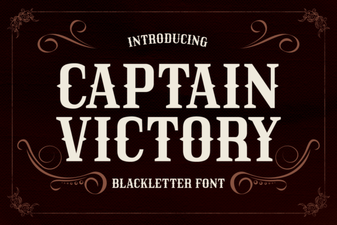 Captain Victory Font: Creative Projects & Typography Ideas
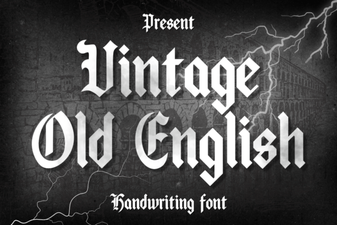 Crafting Vintage Style with Old English Fonts
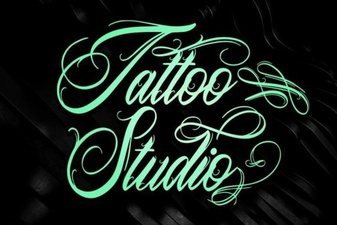 Design Fonts for a Tattoo Studio Brand Identity
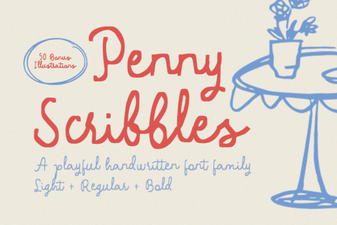 Penny Scribbles Font: Creative Projects & Tips
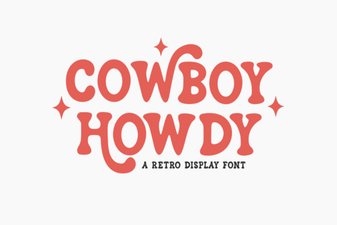 Cowboy Howdy Font Design & Usage Guide
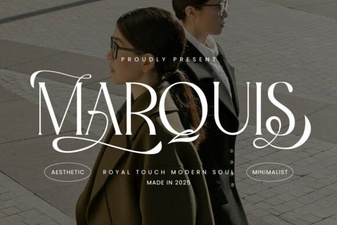 Marquis Font: Elegant Serif Styles for Modern Design