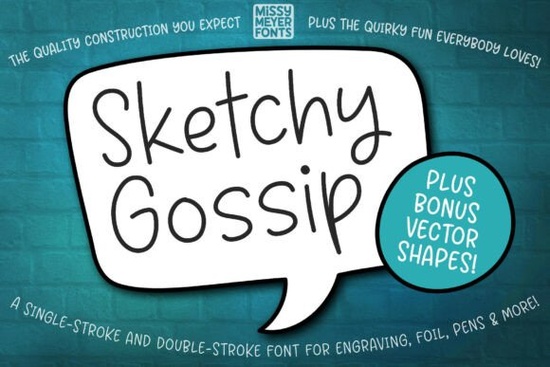
If you’ve been searching for a fun, hand-drawn font that works beautifully with sketch pens, engraving tools, or foil quills, the Sketchy Gossip Font might be exactly what your next project needs. It’s not your average typeface it’s built specifically for single-line and double-line drawing applications, making it ideal for crafters who work with machines like Cricut, Glowforge, or even infusible ink pens. Think of it as the playful cousin of the popular Sketchy Gossip Font, but optimized for tools that draw instead of print.
What makes this font different from regular script fonts?
Most fonts you download are designed to be printed filled outlines that look great on paper or screens. Sketchy Gossip doesn’t work that way. It’s made with clean, single strokes so your pen or stylus can trace each letter naturally, just like handwriting. That means less ink, faster cutting, and cleaner results on surfaces like wood, acrylic, or metal. If you’ve ever tried using a standard script font for engraving or foil transfer and ended up with blobby, overfilled letters, you’ll appreciate how this one behaves.
It pairs well with other casual script fonts like Farmhouse Font or Sunshine Olivia if you’re layering designs or mixing styles. But where those fonts shine in print or digital layouts, Sketchy Gossip excels when you need something drawn, not printed.
What kinds of projects is it best for?
This font was made for hands-on creators. Here are some ideas:
- Greeting cards – The rounded, bouncy letters feel personal and warm.
- Personalized jewelry – Engrave names or short messages with crisp, readable lines.
- Cutting boards or wooden signs – Use a scoring tool or engraver for rustic charm.
- Foil transfers – Works smoothly with foil quills for shiny, eye-catching text.
- Stickers and decals – Especially useful if you’re using sketch pens in your cutting machine.
It’s also a solid pick for small businesses creating custom gifts or wedding favors. Pair it with Wedding Dream for elegant invitations, then switch to Sketchy Gossip for handwritten-style place cards or favor tags.
Does it come with extra design elements?
Yes and they’re really useful. Along with the font files (both single-stroke and double-stroke versions), you get an SVG set packed with bonus shapes: banners, ovals, speech bubbles, and doodle-style decorations. These were pulled from the original Juicy Gossip typeface, so they match the vibe perfectly. You can drag and drop them into your design software to frame quotes, highlight names, or add playful accents without having to draw anything yourself.
Will it work with my design software?
Mostly, yes but there are a couple of quirks to know about.
For Brother Canvas Workspace users: The typeable font may not show up correctly. Don’t worry you can still access every character by using the included SVG files. Just open them, copy the letters you need, and paste them into your project.
For Cricut Design Space folks: You might see an error when you hit “Make It.” It’s a known hiccup, not a dealbreaker. The download includes a simple PDF guide that walks you through the fix step by step. It usually takes less than a minute to resolve.
If you’re using Silhouette Studio, Adobe Illustrator, or similar vector-based programs, you should have no issues. The font plays nicely with most modern design tools as long as you’re using it for line-based output, not filled typography.
Any tips for getting the best results?
A few quick pointers:
- Test first. Run a small sample on scrap material before committing to your final piece.
- Adjust line weight manually if your tool allows it sometimes a slightly thicker stroke reads better on textured surfaces.
- Use the SVG characters if your software struggles with the font file. They’re identical and often more reliable.
- Pair with seasonal fonts like Jolly Christmas for holiday projects the contrast between formal scripts and casual sketches adds visual interest.
And remember: this isn’t a font for Word documents or website headers. Save it for projects where the tool actually draws the letters, not prints them.
Where else can I find fonts like this?
If you like the loose, friendly style of Sketchy Gossip but need something printable too, check out this collection for similar hand-lettered options. Creative Fabrica has a growing library of single-line fonts designed for crafters, so if you’re hooked on this style, you’ll find plenty more to explore.
Pro tip: Always read the software compatibility notes before downloading. Not every “script font” works with cutting or engraving tools many are fill-based and will give you messy results. Stick with fonts labeled “single-line,” “engraving,” or “sketch” for best outcomes.
Next step: Download Sketchy Gossip, open the included PDF guide, and test it on a small project maybe a wooden tag or a greeting card. See how the lines flow, tweak your settings if needed, and start building your library of go-to fonts for hand-drawn effects.
Try It Free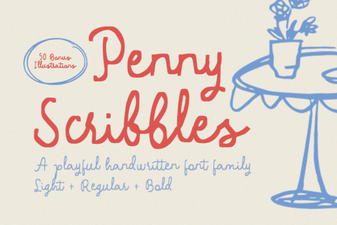 Penny Scribbles Font: Creative Projects & Tips
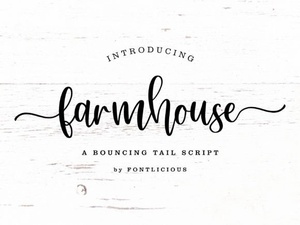 Charming Farmhouse Fonts for Home Decor Projects
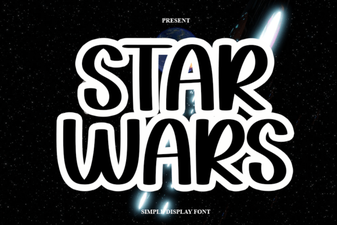 Style Your Project with the Iconic Star Wars Font
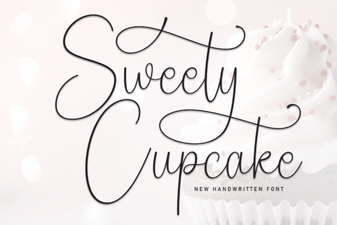 Sweety Cupcake Font: Design Ideas & Creative Projects
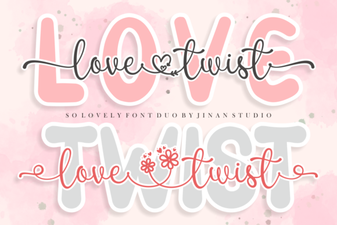 Get Creative with the Love Twist Duo Font
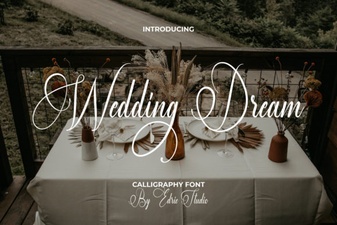 Wedding Dream Fonts: Design Ideas for Your Invitations